
By Albert Schelin and Martin Copping
ArcGIS Web Editor is a lightweight and user-friendly editing app built for both GIS Professionals and occasional editors. This focused app is dedicated to editing, making it easier to dive into editing work, with the tools you need readily available. Web Editor honors existing rules and web map settings, can be used to edit utility networks, and much more. This powerful app helps streamline editing work and lowers the bar to entry for newer editors. Let’s discover the latest available updates and enhancements for Web Editor in ArcGIS Enterprise.
What’s New
With the 12.1 release of ArcGIS Enterprise, ArcGIS Web Editor introduces powerful new capabilities like drawing with true curves and the ability to configure the Web Editor Instant Apps template for a tailored version of Web Editor. The release also introduces several enhancements to utility network support and some productivity enhancements with copy and paste workflows.
Support for True Curves
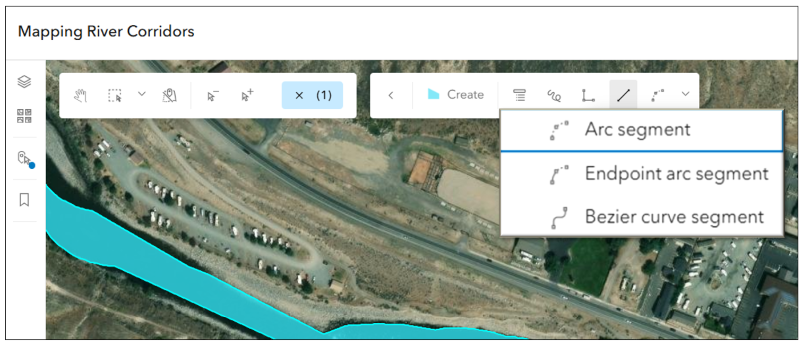
Enhancements to drawing tools lets you create features with precision and flexibility, including support for true curves. With enhancements to drawing tools in ArcGIS Web Editor, you can now draw straight-line and curve segments in the same edit for greater accuracy when adding and updating features. For example, while digitizing a cul-de-sac, you can start with a straight-line segment switch to a curve segment and then go back to a straight-line segment. For more information on support for true curves, check out this blog.
Web Editor Instant App template
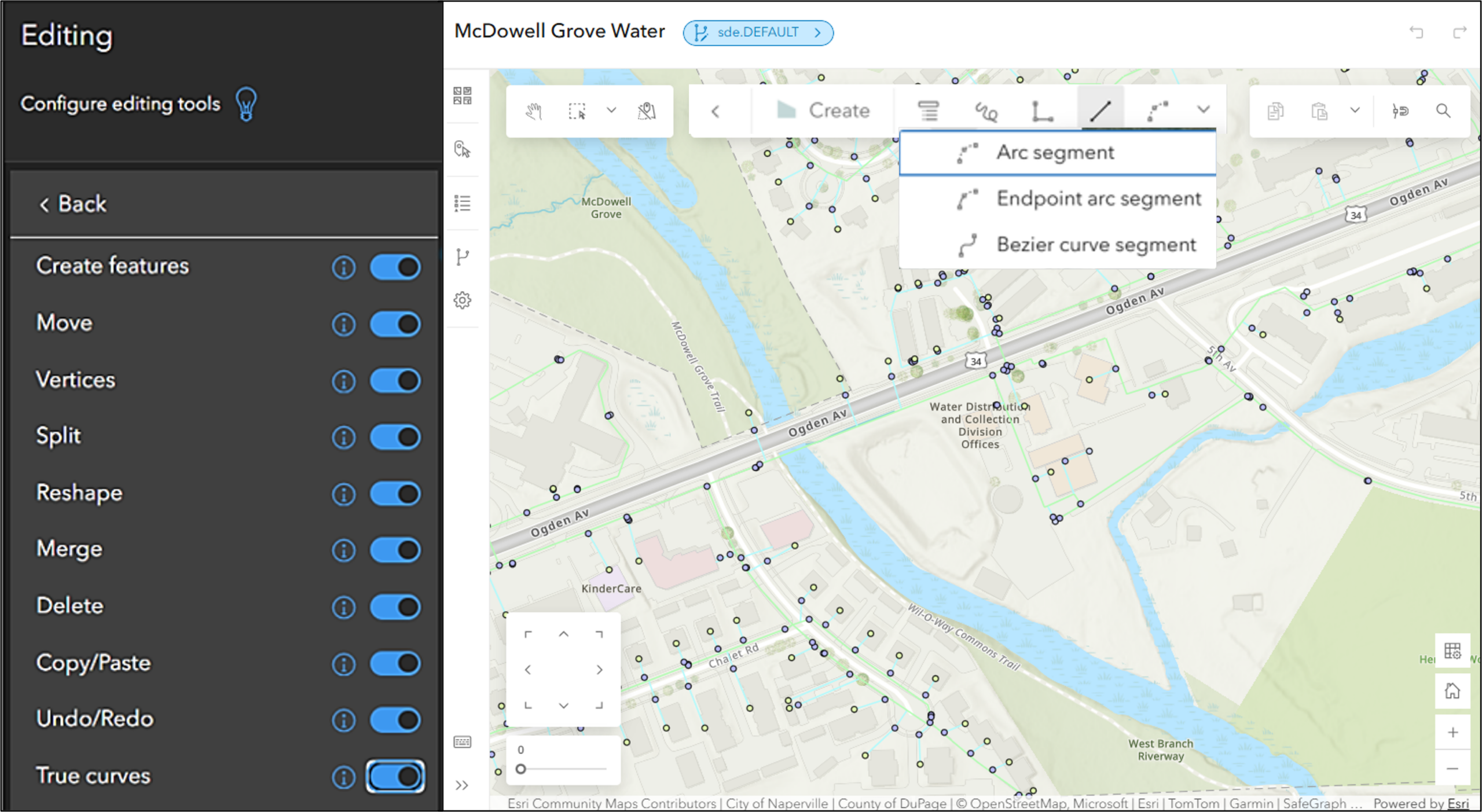
The Web Editor Instant App template is now available. You can configure ArcGIS Web Editor to have precisely the tools you need for your workflows. Configured templates will empower non-GIS focused editors to easily complete your tasks with a more focused app. You can also toggle the availability of ArcGIS Utility Network tools and configure options for versioned data in ArcGIS Enterprise.
Improved Utility Network tracing
Tracing utility networks in ArcGIS Web Editor has been improved with a more intuitive user interface and new subnetwork tracing capabilities. You can now perform subnetwork traces by specifying the subnetwork name, reducing setup time.
Added support for z-values when snapping
When snapping to stacked features with different z-values, you can now choose which feature provides the z-value by enabling the new Snap chip tool, reducing ambiguity and improving confidence in editing results. To dive deeper into the snap chip tool, read this article.

New Clipboard pane
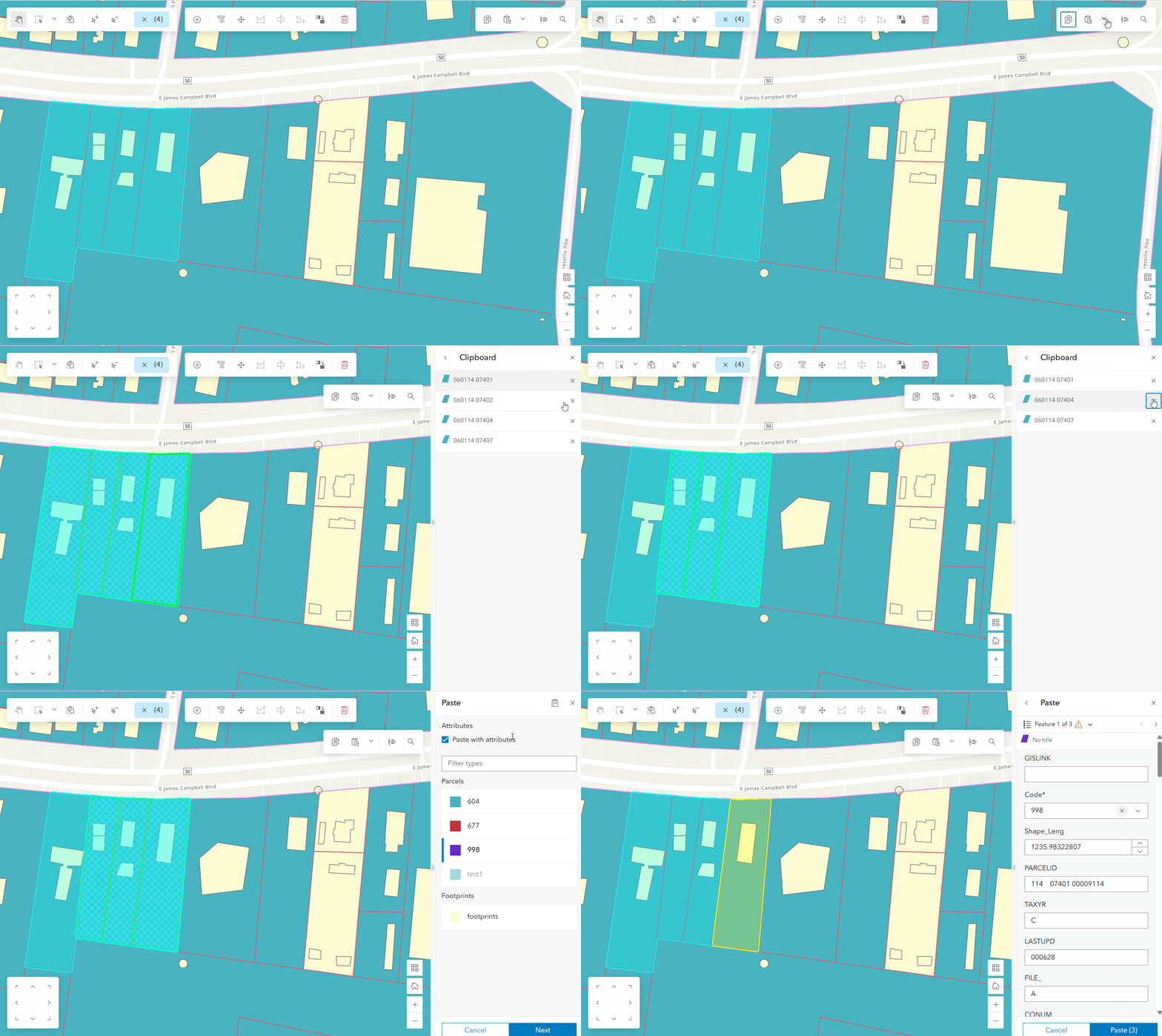
View and remove copied content in the Clipboard pane when using Paste special, giving you visibility into what’s in the clipboard before pasting. This helps prevent accidental edits and gives editors greater confidence and control when pasting features into a map.
Support for batch paste of multiple features to a different layer
Editors who need to be able to paste more than one feature at a time to a different layer, now can. You can paste multiple features, helping you complete and expedite your editing workflows.
Add a temporary layer
You can now add temporary reference layers to a map to bring in additional context while editing. Temporary layers can be added by searching your ArcGIS , organizational content, or personal content, adding a service from a URL, or uploading local files such as zipped shapefiles, CSV, KML, GeoJSON, or GPX files. These temporary layers can become the source for features to copy and paste into an editable layer, supporting quick, one-off editing tasks without permanently cluttering the map. This new capability replaces an existing popular workflow in ArcGIS Web AppBuilder.

In Summary
The 12.1 release of ArcGIS Web Editor reflects a continued commitment to making editing more accessible, flexible, and efficient for teams of all skill levels. This release of ArcGIS Web Editor comes with new enhancements like support for curves, the ability to configure the Web Editor Instant App template, and more. This blog explored each the new features and the benefits they provide. Visit the Esri Community page to ask questions, share ideas, and connect with other Web Editor users. For everything you need to get started or go deeper, explore the additional resources below.
Additional Resources
For additional information on using Web Editor for utility network editing workflows visit this blog and visit this blog.
For additional information regarding ArcGIS Web Editor in ArcGIS Enterprise visit the documentation page.
Try ArcGIS Web Editor with this helpful tutorial.
To learn more about what ArcGIS Web Editor is, check out this introductory blog.
For an introduction to start using Web Editor, check out this tips and tricks blog.
For a step-by-step guide for how to use the Select by Attributes tool, check out this blog.
Source: What's New in ArcGIS Web Editor in ArcGIS Enterprise 12.1

Parul Dubey
Video: New Roundabout Under Construction at McIver and Old Florence Roads in Darlington County

K2b Cantonal Highway

June Issue 2026
.jpg?width=225)